Desktop Application Development
High-performance software for precision workflows
When speed, accuracy, and real-world integration matter, desktop remains the workhorse.
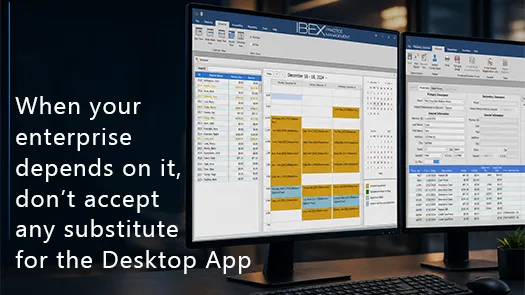
High-performance software for precision workflows
When speed, accuracy, and deep system integration matter, desktop applications provide capabilities that browser-based tools struggle to deliver efficiently.
Desktop applications harness the full power of the machine — CPU, memory, storage, hardware, and multi-monitor environments — without the constraints of a browser runtime.
For organizations that depend on high-volume workflows, precise input, and tight integration with existing systems, desktop software provides a level of performance and control that directly impacts productivity.
Where Browser-Based Applications Reach Their Limits
Browser-based systems are built for accessibility—but that flexibility comes at a cost.
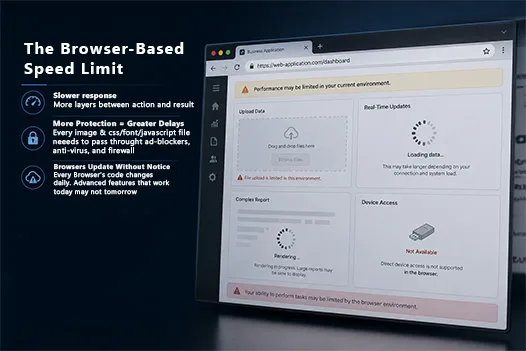
Where Browser-Based Applications Reach Their Limits
Browser-based systems are built for accessibility—but that flexibility comes at a cost.
They operate inside sandboxed environments with limited access to hardware, constrained input models, and additional layers between the user and the system.
As workflows become more demanding, those constraints turn into friction:
- delays between actions and response
- limited interaction with devices and files
- constant reliance on network conditions
For teams that depend on speed, precision, and continuous input, these limitations aren’t theoretical—they directly impact throughput, accuracy, and user experience.
What Desktop Applications Enable
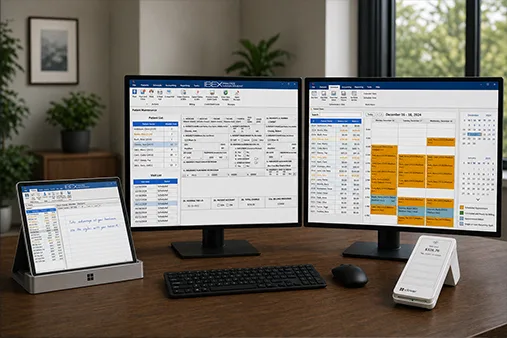
What Desktop Applications Enable
Desktop applications support workflows that would otherwise be constrained or inefficient in a browser:
- Direct integration with scanners, cameras, and imaging systems
- Native interaction with hardware such as printers, card readers, and signature devices
- True drag-and-drop across files, folders, and structured data
- Multi-monitor workflows for high-efficiency environments
- High-speed local computation without browser overhead
- Reliable offline operation with secure local state
- No browser throttling, permission barriers, or sandbox constraints
These capabilities are essential for systems where speed and accuracy directly affect operations.
Performance That Matches the Work
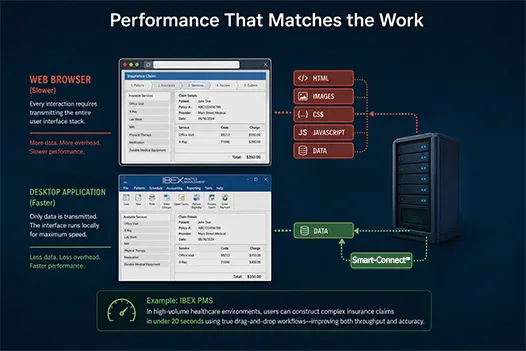
Desktop applications remain fast because the interface runs locally. Only data is transmitted between systems.
Performance That Matches the Work
Desktop applications remain fast because the interface runs locally. Only data is transmitted between systems.
This eliminates the overhead of reloading layouts, scripts, and UI frameworks—resulting in faster response times and smoother workflows under load.
Example: IBEX PMS
In high-volume healthcare environments, users can construct complex insurance claims in under 20 seconds using true drag-and-drop workflows—improving both throughput and accuracy.
Smart-Connect™: Desktop Performance Without VPN or LAN
Desktop Performance without constraints
Smart-Connect™: Desktop Performance Without VPN or LAN
Desktop performance without network constraints
Traditional desktop systems often require VPN or direct network access. Smart-Connect™ removes that dependency.
The system automatically detects its environment—using direct SQL on local networks and secure API communication when remote.
No VPNs. No configuration. No user intervention. The system simply works.
Built on the Microsoft Stack
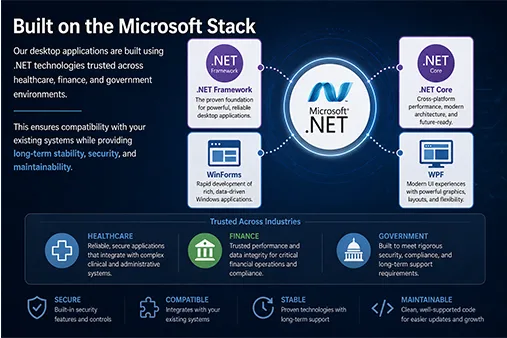
Our desktop applications are engineered on proven .NET technologies — the same foundation trusted for over two decades across healthcare, finance, and government.
Built on the Microsoft Stack
Our desktop applications are engineered on proven .NET technologies — the same foundation trusted for over two decades across healthcare, finance, and government.
Because we support all .NET versions all the way back to 2.0, our software runs reliably on systems that have been in production for 20+ years while still taking full advantage of modern .NET capabilities.
This deep alignment with the Microsoft ecosystem delivers:
- Seamless integration with every Windows operating system
- Native compatibility with Active Directory for authentication and security
- Stronger security through Microsoft’s hardened runtime and OS‑level protections
- Unbroken stability, because .NET updates ship with Windows updates — without breaking your applications
The result is a platform that stays compatible, secure, and maintainable for the long term — without the fragility of browser‑based frameworks or the churn of JavaScript ecosystems.
Part of a Complete System
Part of a Complete System
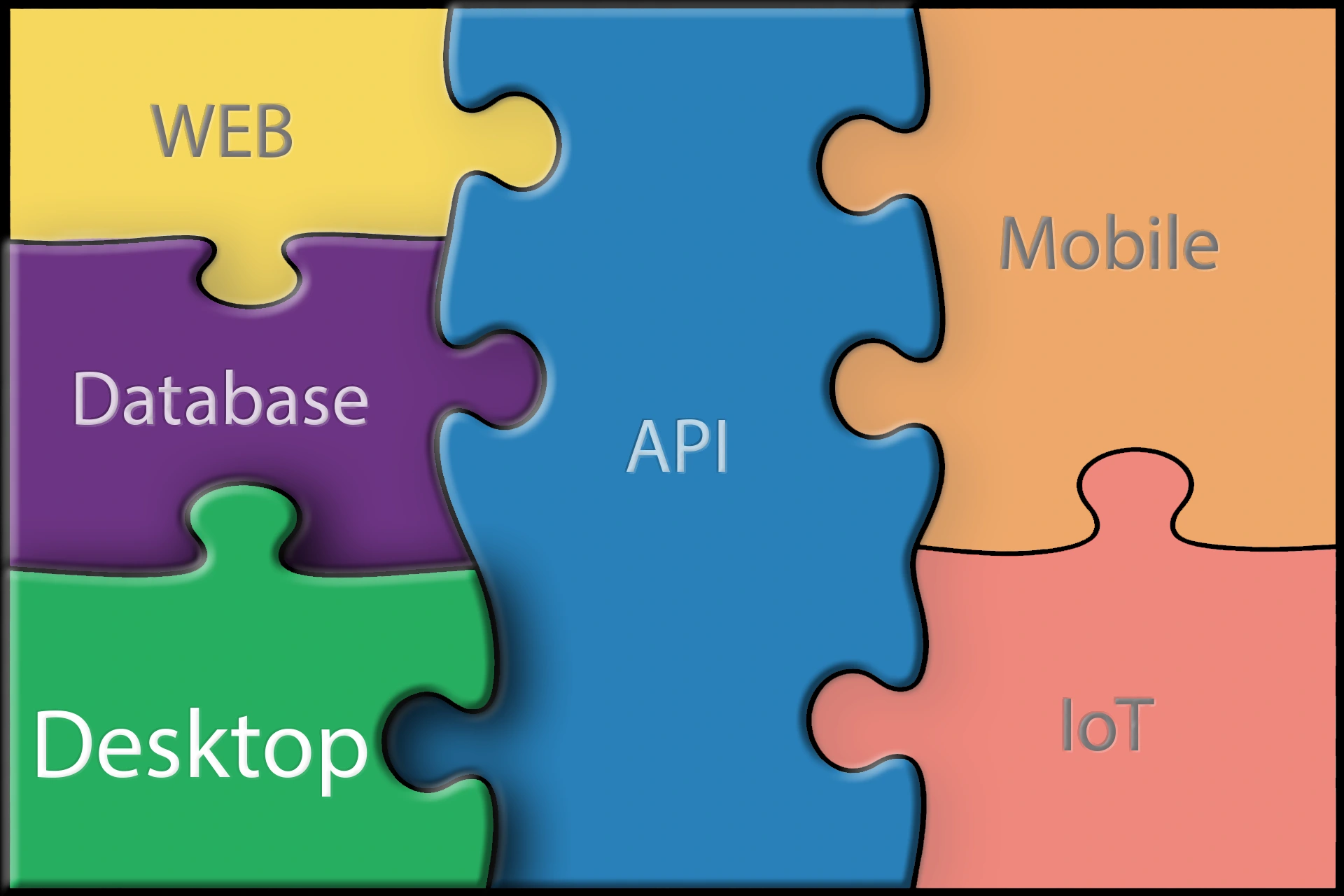
Desktop applications power the core operational layer of a complete system:
- Desktop — executes high-speed workflows, handles large data volumes, and supports intensive user interaction
- Database — ensures data integrity, consistency, and long-term storage
- API — securely connects systems and orchestrates data flow
- Web — provides visibility, reporting, and decision-making interfaces
- Mobile — extends workflows into the field
- IoT — feeds real-time data from physical systems
We don’t replace one with another—we design systems where they work together.
See Where Desktop Fits in Your Workflow
If your current systems are slowing down operations, we can help you evaluate where desktop applications fit—and how to integrate them without disruption.
Let’s build what your business needs next